vRisk Solution

Audit Management Software

Create, standardise and manage audits around the way your organisation actually operates.

vRisk gives organisations control over the full audit structure: create your own question database, combine questions into reusable templates, conduct audits and assess relevant responses using Probability × Severity. The result is a flexible audit framework that can support different teams, sites and risk areas.

Health & Safety auditsInternal auditsOperational audits
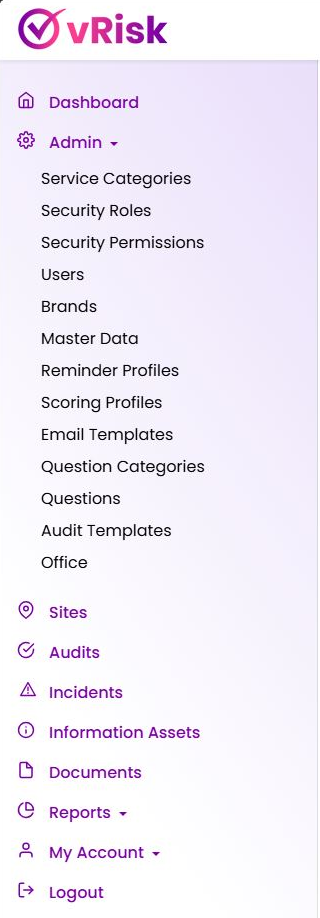
vRisk navigation showing audits, incidents, information assets, documents and reports
Configurable audit engineBuild your own questions and reusable templates.
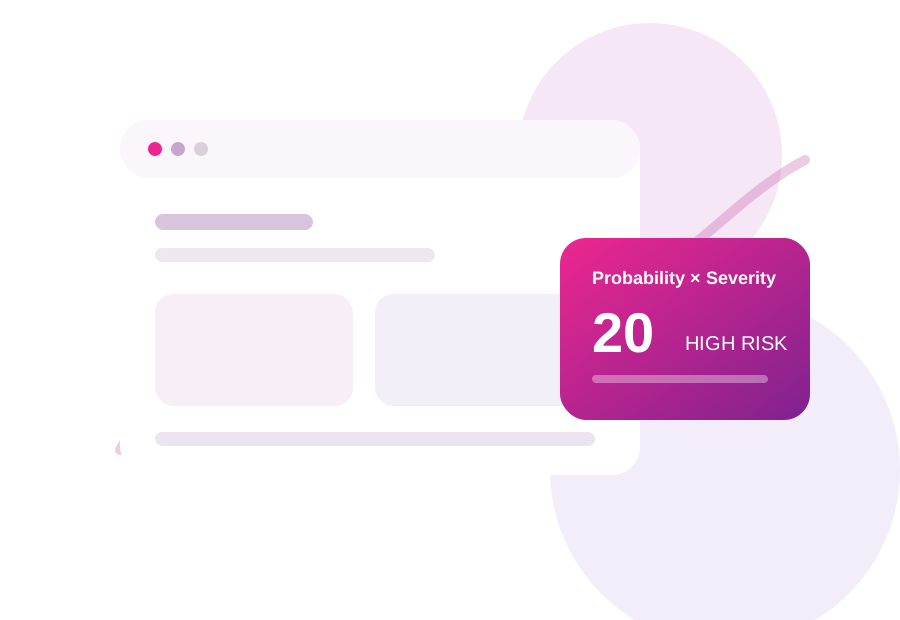
P×S
Consistent risk scoringProbability × Severity
The challenge

Stop rebuilding audits in spreadsheets and documents

When audit questions and results are maintained in separate files, organisations lose consistency and spend time recreating the same processes. vRisk centralises the question library and template structure so audit programmes can be reused, refined and applied more consistently.

  • Replace disconnected spreadsheets and documents with structured audit data.
  • Use a repeatable scoring method across sites, teams and audit types.
  • Keep audit, incident and governance information within one risk environment.
Built around your organisation

One framework, configured to your requirements

vRisk is not a fixed checklist. Administrators maintain the question library, build templates and apply a common risk approach across different assurance activities.

Maintain a central question databaseCreate questions once and reuse them across appropriate audit templates.
Build templates for different purposesCreate audits for sites, departments, risk categories or operational processes…
Use consistent risk assessmentApply Probability × Severity to relevant responses and support risk profiling.
Support recurring governance activityUse reminder profiles and reporting to help maintain planned audit activity.
How vRisk helps

A practical platform for audit, risk and assurance

Configure the content around your organisation while keeping the process consistent for the people completing and reviewing audits.

1

Maintain a central question database

Create questions once and reuse them across appropriate audit templates.

2

Build templates for different purposes

Create audits for sites, departments, risk categories or operational processes.

3

Use consistent risk assessment

Apply Probability × Severity to relevant responses and support risk profiling.

4

Support recurring governance activity

Use reminder profiles and reporting to help maintain planned audit activity.

5

Connect audits with wider risk information

Use incidents, information assets, documents and sites within the same environment.

Typical use cases

One question library can support many audit programmes

The question database is one of vRisk’s key strengths. Organisations can create a structured library of questions and then select the appropriate questions when building each audit template. This reduces duplication while allowing different teams to create audits suited to their responsibilities.

Health & Safety audits
Internal audits
Operational audits
Quality audits
Compliance reviews
Site inspections
Financial control audits
Information-security audits
Supplier and contractor assessments
Departmental assurance reviews
Probability × Severity

Turn findings into measurable, prioritised risk

vRisk uses a straightforward Probability × Severity approach for relevant responses. The matrix gives teams a shared language for comparing findings and helps management focus attention where risk is highest.

  • Simple to explain to auditors, site teams and management.
  • Consistent scoring supports comparison across recurring audits.
  • Risk profiles can use scored findings to provide a wider organisational view.
Probability
5
5
10
15
20
25
4
4
8
12
16
20
3
3
6
9
12
15
2
2
4
6
8
10
1
1
2
3
4
5
1
2
3
4
5
Severity
LowModerateHighCritical
Audit to action

Build → Audit → Assess → Act → Improve

A repeatable workflow makes assurance easier to run and easier to explain.
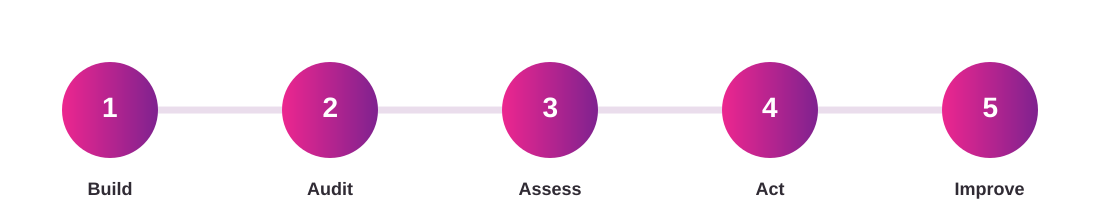
Five-step vRisk workflow: Build, Audit, Assess, Act, Improve
Actual vRisk product navigation
One central platform

Beyond the audit

vRisk brings related risk and governance information into the same environment, reducing the need for separate spreadsheets and disconnected repositories.

Question Categoriesorganise your audit question library.
Scoring and Risk Profilesapply structured assessment to findings.
Sitesrun audits across different locations.
Reminder Profilessupport recurring audit schedules and review cycles.
Reportsprovide central management visibility.

Product screenshot shown from the current vRisk interface.

Who vRisk is for

Designed for the people responsible for risk, safety, assurance and operations

Internal Audit TeamsCompliance ManagersHealth & Safety TeamsQuality ManagersRisk ManagersOperations TeamsFacilities TeamsSenior Management
Book a practical demonstration

Digitise one of your current audits with vRisk

Send us or show us an existing audit template and we can demonstrate how the same process could be configured within vRisk.

Bring one of your current checklists, audits or risk processes.
See how your own questions can become a reusable vRisk template.
Explore how Probability × Severity and wider vRisk modules fit your process.
CAPTCHA Image
Preview only: the form layout and validation are working. Connect the POST action to your CRM/email/API endpoint before publishing.
Frequently asked questions

Questions about Audit Management Software

Can we create our own audit templates?

Yes. vRisk allows organisations to build their own questions and combine them into reusable audit templates.

Can the same question be reused in more than one audit?

The question-database approach is designed so appropriate questions can be selected when building different templates.

Can vRisk support non-H&S audits?

Yes. Audit templates can be created for financial, operational, information, quality, compliance and other assurance processes.

Does vRisk support risk scoring?

Yes. Relevant responses can be evaluated using a Probability × Severity approach and used within risk profiling.