vRisk Industry

Property Risk Management Software

Manage audits, inspections and risk consistently across buildings, sites and property portfolios.

Property owners, managers and estates teams need visibility of risk across different buildings, occupants, contractors and operational activities. vRisk provides a configurable platform for creating property audits, assessing findings and managing wider risk information in one place.

Property Health & Safety auditsBuilding condition and premises inspectionsFire safety reviews
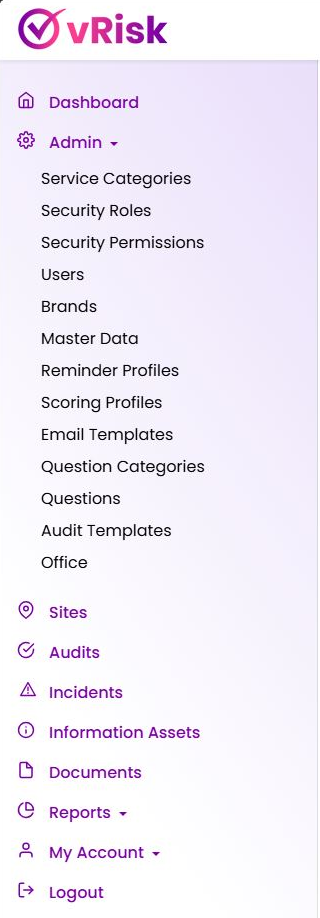
vRisk navigation showing audits, incidents, information assets, documents and reports
Configurable audit engineBuild your own questions and reusable templates.
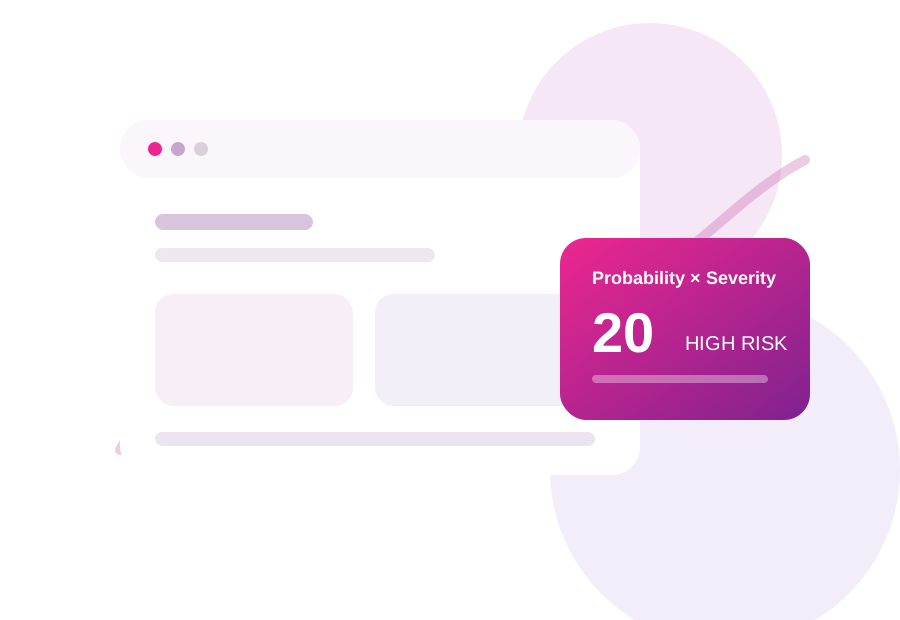
P×S
Consistent risk scoringProbability × Severity
The challenge

Create one risk framework across your property portfolio

Property risk information is often dispersed across inspection forms, spreadsheets, incident records and document stores. vRisk provides a central audit and risk framework that organisations can tailor to different property types, locations and responsibilities.

  • Replace disconnected spreadsheets and documents with structured audit data.
  • Use a repeatable scoring method across sites, teams and audit types.
  • Keep audit, incident and governance information within one risk environment.
Built around your organisation

One framework, configured to your requirements

vRisk is not a fixed checklist. Administrators maintain the question library, build templates and apply a common risk approach across different assurance activities.

Create property-specific audit templatesBuild your own questions and reusable templates for different buildings and in…
Use consistent risk scoringAssess responses using Probability × Severity so findings can be evaluated on …
Manage risk across multiple sitesOrganise audit activity by site and support recurring review processes with re…
Record incidents centrallyUse the incident module alongside audit and risk information.
How vRisk helps

A practical platform for audit, risk and assurance

Configure the content around your organisation while keeping the process consistent for the people completing and reviewing audits.

1

Create property-specific audit templates

Build your own questions and reusable templates for different buildings and inspection types.

2

Use consistent risk scoring

Assess responses using Probability × Severity so findings can be evaluated on a common basis.

3

Manage risk across multiple sites

Organise audit activity by site and support recurring review processes with reminders.

4

Record incidents centrally

Use the incident module alongside audit and risk information.

5

Keep supporting governance information together

Manage information assets, documents and reports within the wider vRisk environment.

Typical use cases

Different properties need different checks — not different systems

With vRisk, administrators can maintain a central question library and create different templates for offices, commercial premises, residential environments, operational buildings or individual risk categories. This gives the organisation flexibility without losing consistency.

Property Health & Safety audits
Building condition and premises inspections
Fire safety reviews
Common-area inspections
Contractor compliance audits
Office and workplace inspections
Environmental audits
Security process reviews
Operational and service-quality audits
Portfolio-level internal assurance reviews
Probability × Severity

Turn findings into measurable, prioritised risk

vRisk uses a straightforward Probability × Severity approach for relevant responses. The matrix gives teams a shared language for comparing findings and helps management focus attention where risk is highest.

  • Simple to explain to auditors, site teams and management.
  • Consistent scoring supports comparison across recurring audits.
  • Risk profiles can use scored findings to provide a wider organisational view.
Probability
5
5
10
15
20
25
4
4
8
12
16
20
3
3
6
9
12
15
2
2
4
6
8
10
1
1
2
3
4
5
1
2
3
4
5
Severity
LowModerateHighCritical
Audit to action

Build → Audit → Assess → Act → Improve

A repeatable workflow makes assurance easier to run and easier to explain.
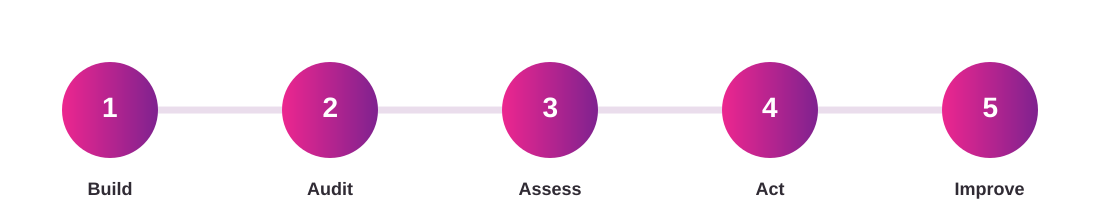
Five-step vRisk workflow: Build, Audit, Assess, Act, Improve
Actual vRisk product navigation
One central platform

Beyond the audit

vRisk brings related risk and governance information into the same environment, reducing the need for separate spreadsheets and disconnected repositories.

Sitesstructure audits and risk activity around properties or locations.
Incidentsmaintain a central incident record.
Information Assetsrecord important organisational information assets.
Documentsmanage relevant documents alongside other risk information.
Reports and reminderssupport oversight and planned review activity.

Product screenshot shown from the current vRisk interface.

Who vRisk is for

Designed for the people responsible for risk, safety, assurance and operations

Property ManagersEstates ManagersFacilities ManagersHealth & Safety ManagersCompliance ManagersAsset ManagersOperations DirectorsRisk Managers
Book a practical demonstration

See how vRisk can support your property risk framework

Book a demonstration and we can show how one of your current property inspection or audit processes could be configured within vRisk.

Bring one of your current checklists, audits or risk processes.
See how your own questions can become a reusable vRisk template.
Explore how Probability × Severity and wider vRisk modules fit your process.
CAPTCHA Image
Preview only: the form layout and validation are working. Connect the POST action to your CRM/email/API endpoint before publishing.
Frequently asked questions

Questions about Property Risk Management Software

Can vRisk manage audits across multiple properties?

Yes. Sites are part of the platform structure, supporting organisations that manage multiple locations.

Can different properties use different audit templates?

Yes. The question and template model allows organisations to build different audits for different property types or risk areas.

How does vRisk assess risk?

Relevant responses can be assessed using a Probability × Severity methodology to support consistent risk profiling.

Can we record incidents and documents as well as audits?

Yes. vRisk includes incident, information asset and document management alongside the audit functionality.